Cleveland Construction Turns a Platform Switch into Workflow Transformation

Cleveland Construction used its move to Autodesk Forma (formerly Autodesk Construction Cloud) to streamline internal workflows, improve field satisfaction, strengthen collaboration with partners, and set the stage for long-term operational gains.
Customer overview
Family-owned national general contractor Cleveland Construction serves a range of market sectors, including K–12, multifamily, hospitality, and historic adaptive reuse. Headquartered in northeast Ohio, with regional offices across the eastern half of the United States, the company also operates a large interior trades division and has a workforce of nearly 1,000 employees, supporting complex projects across multiple states.

A Platform Decision Driven by Cost—And Opportunity
Switching platforms wasn’t part of the plan for Cleveland Construction. In 2019, after signing a multi-year contract with their construction management platform, an unexpected increase in revenue led to significant overage fees. But when the project delays of 2020 caused revenue to drop by a similar amount, there was no corresponding price adjustment.
“That’s when we realized the platform’s pay-to-play pricing model really only went in one direction,” says Elliot Christensen, senior vice president of operations. “And that's when we decided to evaluate other software options.”
The team knew that switching systems midstream could be risky. It would require careful handling to set up new workflows, migrate data, and retrain employees without disrupting live projects. Before long, another consideration arose: If the company was going to make a change, could it also use that moment to improve how teams worked?
Proof-Testing Reveals a Chance to Improve Workflows
As Cleveland began exploring new platform options, Christensen and the leadership team made a point of getting buy-in from across the organization.
“We started by explaining to everyone why we were even looking,” Christensen says. “What had happened, what it meant financially, and why it made sense to evaluate other options.” Over the course of several months, Cleveland involved more than 30 stakeholders in demos and evaluations, gathering input from the teams who would ultimately use the system every day.
Looking closely at the solutions offered by Autodesk Forma, Christensen and team began to see places where Forma would allow them to simplify approvals, standardize workflows, and remove manual steps. With that recognition, the team decided to treat the transition as an opportunity to improve how the business operates, and the foundation was laid for everything that followed.
Enabling Change with Autodesk Forma
Cleveland chose to implement Forma, including Cost Management, Forms, and Issues features in Forma Build. In addition to replacing the functionality of their current platform, Cleveland sought to reduce friction with integrations to key systems, such as Sage 300 CRE, Box, and GCPay.
The consolidated Forma platform would give Cleveland a more streamlined environment for managing approvals, tracking project data, and coordinating across stakeholders. Rather than having to force their processes to match rigid structures imposed by the platform, Forma’s flexibility would allow teams to configure workflows to match how they actually operate.
Once the platform choice was made, the challenge became one of timing and coordination. Cleveland had less than a year to set up the new system and integrations, migrate their data, and train teams on the new tools and processes—all without disrupting ongoing projects.
Supported Implementation for a Fast, Structured Rollout
To meet its aggressive timeline, Cleveland engaged Autodesk Platinum Partner IMAGINiT Technologies to lead the implementation. IMAGINiT handled the bulk of configuration and setup through a phased process that included discovery, configuration, admin training, end-user training, live-project migration, and post-go-live mentoring.
Vince Daniele, IMAGINiT's construction solutions team manager, had been involved with Cleveland’s presales conversations with his team. “We came into the delivery of the project with a lot of prior knowledge on how Cleveland was using their current platform and how we could adopt the Autodesk platform to both meet their current needs as well as identify areas for improvement,” he says.
To accelerate adoption, IMAGINiT used real data from a past Cleveland project during training. This approach meant Cleveland’s teams saw familiar RFIs, sheets, and logs in the new platform, rather than working in an empty text environment.
Once a large group of end-users were trained, IMAGINiT began migrating live data. “We migrated a bunch of live projects over to project teams that were already trained up and ready to use the Construction Cloud,” Daniele says. “So it limited the time lost in the cut-over period between platforms.”
Coordination and planning led to a smooth—and fast—transition. Cleveland started implementation in January and was rolling out live projects in Forma by April. As teams across the company began working in the new system, the improvements to workflow and efficiency quickly became apparent.
Early Wins Emerge from Transforming Workflows
Almost immediately upon transitioning to Forma, Cleveland saw significant efficiency gains from redesigning day-to-day processes.
All approvals had previously been routed through external tools, incurring additional costs and extra steps when items were rejected before external execution. With the move to Forma, Cleveland can keep all internal approvals in-platform, so only finalized items move externally for outside signatures.
Cleveland also had its subcontract agreement templates built into the new system. This allowed them to automate subcontract generation, once a time-consuming manual task. In the new workflow, contracts are automatically generated from data in the cost tool, routed for signature, and saved back to the appropriate records. “It’s probably reduced our contract admins’ workload by seventy five percent,” Christensen says.
The switch to Forma enabled Cleveland to streamline project start up as well by creating template projects with a preset folder structure and more than 200 preloaded documents. Unlike with their previous system, which required manually uploading documents for new projects, the new workflow gives teams what they need to begin work right away.
In the field, Cleveland discovered an unexpected efficiency gain with a new daily reporting process using Forma Build’s Forms and Issues. The previous daily logs had been adequate, but they weren’t customizable. The IMAGINiT team helped Cleveland reimagine and rebuild the daily reporting workflow in Autodesk Forma to use structured forms with simple yes-or-no questions and conditional logic that require follow-up actions—such as creating issues for delays, deliveries, or inspections—before reports can be closed. Additional review workflows ensure that lead superintendents approve and sign-off on finalized reports. “By spending time with Vince and his team to really get this right in the Forms tool, I think we have a better setup in Autodesk than we had before,” Christensen says.

Following its initial success improving workflows with Forma, Cleveland began considering other ways the platform could transform how its teams operate. That led them to pilot a process for using Build’s schedule tool to update and maintain schedules. With this new process, superintendents in the field can tag a schedule update with its RFI or submittal, the data is exported directly to the XER file, and it all can be tracked in real time. Christensen says, “We think it’ll really change the way that we manage projects from a scheduling standpoint.”
Cleveland has found that even the smallest usability improvements can add up to big efficiency gains. For example, the flyout windows in Forma’s interface let users complete tasks without repeated page reloads. “It sounds like such a small detail,” Christensen explains, “but if you’re saving 30 seconds 100 times a day, it goes a long way for project teams.”
Change Drives Measurable Results
The transition to Autodesk Forma delivered immediate workflow improvements and long-term benefits across the business.
Financially, Cleveland projected mid six-figure savings over 6 years, even after accounting for the costs of implementation, training, and migration. Workflow automation drove meaningful efficiency gains by reducing manual effort and cutting down external processes and their associated costs. Standardized templates allowed projects to get up and running more quickly, while system integrations reduced duplication and improved cross-team visibility.
Another key advantage was the speed of implementation. Partnering with IMAGINiT to complete the transition in just a few months meant Cleveland minimized the disruption to its projects and teams. It also meant beginning to realize the cost savings and efficiency gains almost immediately.
But perhaps the most surprising outcome was the positive response from the field. “That’s actually where I thought I’d get the most pushback,” Christensen says. “But we really haven’t.”
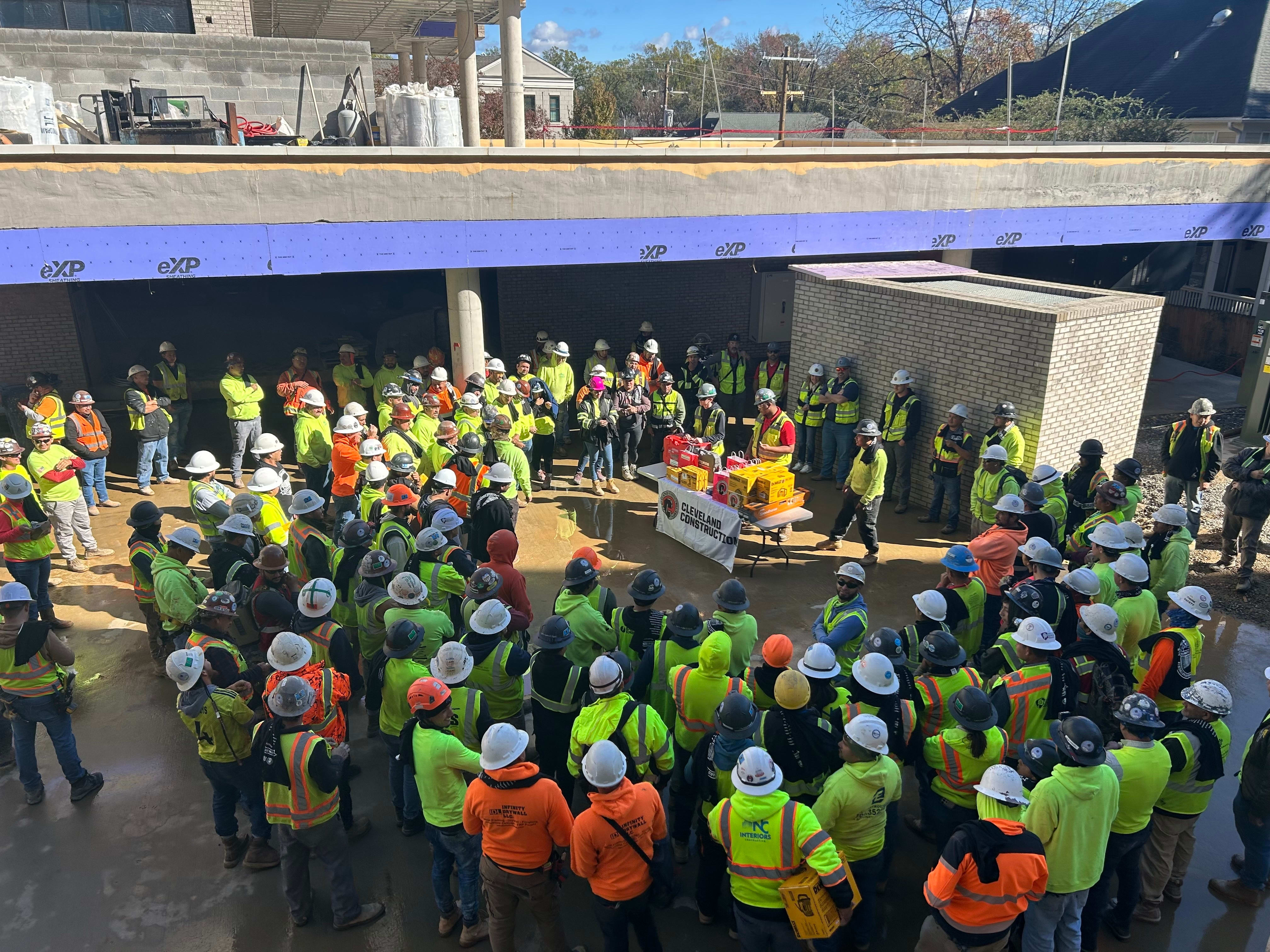
Instead, field teams reacted favorably to the new system and its process improvements. They particularly appreciated the more structured, field-friendly daily reporting workflows. In addition, field teams benefited from the usability of the mobile experience, with its photo tagging, GPS capture, sheets and markup functionality, and selective project syncing for devices.
Improving Collaboration Across Project Stakeholders
In addition to the internal wins, transitioning to Autodesk Forma improved Cleveland’s collaboration with external stakeholders. “It wasn’t something that I thought about when we were evaluating Autodesk originally,” Christensen said. “But as a byproduct of switching, we have a much easier time coordinating RFIs and submittals with our architecture partners.”
Many architects, owners, and trade partners were already familiar with Forma or had their own Autodesk accounts. That made for less friction around sharing information and aligning workflows.
In one case, Cleveland used IMAGINiT’s integration tools to connect directly with a client’s own Forma system. This allowed submittals to move automatically back and forth between the two platforms for review and approval. “That was never something we could have accomplished before,” Christensen says.
Better Positioned for Continued Growth
Ultimately, the move to Autodesk Forma turned into more than a platform migration for Cleveland Construction. By using it as an opportunity to rethink workflows, reduce manual effort, and improve field experiences, the company strengthened its operational foundation.
Now, with costs reduced and efficiencies gained, Cleveland is looking to continue its operational renaissance, piloting Forma’s preconstruction tools and exploring integrations for improving handoffs. The lesson from Cleveland’s journey is clear: With a strong business case, the right support, and an open mindset, adopting a new platform can become a catalyst for long-term transformation.